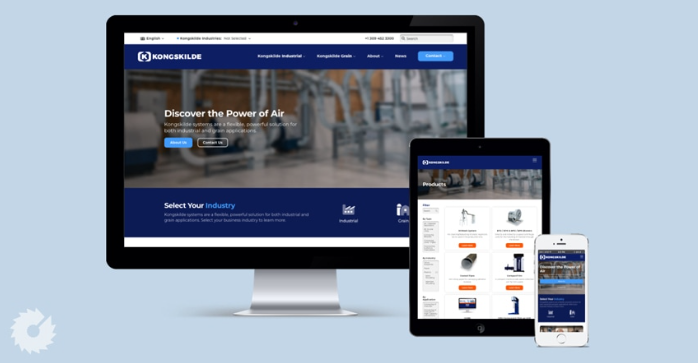
User experience is a central part of a successful business website. For B2B companies, it is especially important because potential customers often visit a website while researching products, comparing providers, evaluating services, or looking for solutions to specific business problems. If the website is confusing, slow, difficult to navigate, or poorly organized, visitors may leave before finding the information they need.
This is where B2B web design becomes important. Effective B2B website design focuses on creating an online experience that is clear, useful, accessible, and aligned with the needs of business users. Instead of designing a website only around visual appearance, businesses can use thoughtful design to make information easier to find and interactions easier to complete.
Understanding User Experience in B2B Web Design
User experience refers to the overall experience a person has when interacting with a website. It includes navigation, page layout, content organization, website speed, mobile usability, accessibility, forms, buttons, and many other interactions.
In a B2B environment, users often have specific goals. They may want to learn about a service, compare solutions, review technical details, download a document, request a quotation, or contact a sales representative.
Good B2B web design considers these goals and creates a clear path toward them. The website should help users complete tasks without unnecessary confusion or friction.
See also: Life Insurance Singapore
Create Simple and Intuitive Navigation
Navigation is one of the first areas that affects user experience. B2B companies often have many services, products, industries, resources, and informational pages. Without an organized structure, visitors can quickly become overwhelmed.
A well-designed navigation system uses clear labels and logical categories. Visitors should understand where they can find services, solutions, company information, resources, and contact options.
Drop-down menus can help organize larger websites, but they should not become overly complicated. Important pages should remain accessible without requiring visitors to click through multiple unnecessary levels.
Effective B2B web design makes navigation predictable so users can concentrate on researching the company rather than figuring out how its website works.
Organize Complex Information
B2B companies frequently offer complex products and services. A software provider may need to explain features, integrations, security, implementation, and pricing. A consulting firm may need to describe different methodologies, industries, and service packages.
Presenting all of this information in large blocks of text can make the website difficult to use.
Instead, content should be divided into logical sections using headings, subheadings, visual hierarchy, tables where appropriate, diagrams, FAQs, and supporting graphics.
Good content organization allows visitors to scan a page quickly and focus on the sections that matter most to them.
Improve Website Readability
Readable content is essential for a positive user experience. Typography should be large enough to read comfortably, line spacing should provide enough breathing room, and paragraphs should not be excessively dense.
Headings can help users understand the structure of a page before they read the details. Important information can also be highlighted through appropriate formatting and layout.
The visual design should support the content rather than compete with it. Excessive animations, decorative elements, or complicated layouts can make information harder to understand.
A clean B2B web design approach gives users a comfortable environment for reading and researching.
Make Websites Faster
Website speed has a direct impact on usability. When pages take too long to load, visitors may become frustrated before they can access important information.
B2B companies can improve performance by optimizing images, reducing unnecessary scripts, using efficient code, selecting suitable hosting, and implementing caching and content delivery solutions where appropriate.
Performance should be monitored regularly because websites can become slower as new features, plugins, media, and tracking tools are added.
A faster website allows visitors to move between pages more easily and creates a smoother research experience.
Prioritize Mobile Experience
Although many B2B users still work on desktop computers, mobile devices are an important part of modern browsing behavior. Business professionals may research a company from a smartphone while traveling, attending an event, or between meetings.
Responsive B2B web design ensures that pages adapt to different screen sizes. Navigation, buttons, forms, images, and text should remain easy to use on smaller displays.
A mobile-friendly design should not simply shrink the desktop version. Elements may need to be rearranged to make important content and actions easier to access on smaller screens.
Make Calls to Action Easy to Find
Users should always have a clear understanding of what they can do next. Calls to action can guide visitors toward actions such as requesting a quote, scheduling a demo, contacting sales, booking a consultation, or downloading a resource.
The CTA should match the visitor’s intent. Someone reading an introductory article may prefer an educational resource, while someone viewing a detailed service page may be ready to request more information.
Effective B2B web design places relevant calls to action at natural points without overwhelming visitors with too many competing options.
Simplify Forms
Forms are often necessary for lead generation, but complicated forms can create a poor user experience.
Businesses should consider what information they actually need at each stage of the customer journey. A basic contact request may only require a name, business email, company, and message. More detailed forms may be appropriate for certain services where qualification is necessary.
Form fields should have clear labels, logical spacing, and easy-to-understand instructions. Error messages should also explain what needs to be corrected.
Making forms easier to complete can remove unnecessary friction from the user journey.
Improve Search and Content Discovery
Large B2B websites may contain hundreds of pages, documents, articles, product details, and resources. A search function can help visitors find specific information quickly.
Search should provide useful results and use language that matches how customers describe products and problems. Categories and filters can also help users narrow down large collections of resources.
Internal linking is another important part of content discovery. Relevant links can guide visitors from educational articles to service pages, case studies, product information, and contact options.
Build Trust Through Design
User experience is also influenced by how credible a website feels. Professional branding, consistent layouts, customer testimonials, case studies, certifications, and clear company information can make the website easier to evaluate.
Trust signals should be integrated naturally into the website. For example, a relevant case study can appear on a service page, while certifications can be presented alongside technical information.
Good B2B web design gives users enough evidence to understand the company without forcing them to search through unrelated pages.
Design for Accessibility
Accessibility helps ensure that more people can use a website effectively. Basic accessibility considerations include readable text, sufficient contrast, descriptive labels, keyboard-friendly navigation, meaningful link text, and alternative text for important images.
Accessible design can improve usability for everyone, not only people with specific accessibility needs.
Businesses should consider accessibility throughout the design and development process rather than treating it as an afterthought.
Use Consistent Design Patterns
Consistency makes websites easier to learn and navigate. Buttons should behave predictably, headings should follow a logical hierarchy, navigation should remain consistent across pages, and similar elements should use similar designs.
When users understand how one part of a website works, they can apply that knowledge to other pages.
Consistent B2B web design therefore reduces the amount of effort users need to spend learning the interface.
Measure and Improve User Experience
User experience can be improved through ongoing measurement. Businesses can examine analytics data to understand which pages receive the most traffic, where users leave, how long visitors engage with content, and which actions they complete.
Feedback from customers and sales teams can provide additional insight. If prospects repeatedly ask the same questions, the website may need clearer information. If users struggle to find a particular resource, navigation may need improvement.
Testing different page layouts, navigation structures, forms, and calls to action can also help businesses identify opportunities for refinement.
Conclusion
B2B web design plays an important role in creating a better user experience for business customers. Clear navigation, organized information, readable content, fast performance, mobile responsiveness, simple forms, accessible design, useful search features, and consistent interfaces can all make a website easier to use.
The goal is not simply to make a website look professional. It is to make every interaction more straightforward for the people who rely on the website to research a company and its solutions.
When design decisions are based on real user needs, a B2B website can become easier to navigate, easier to understand, and more useful throughout the buying journey. Continuous testing, analytics, and customer feedback can then help businesses refine the experience as their audiences and services evolve.